How the Hayes County Court Calendar Works
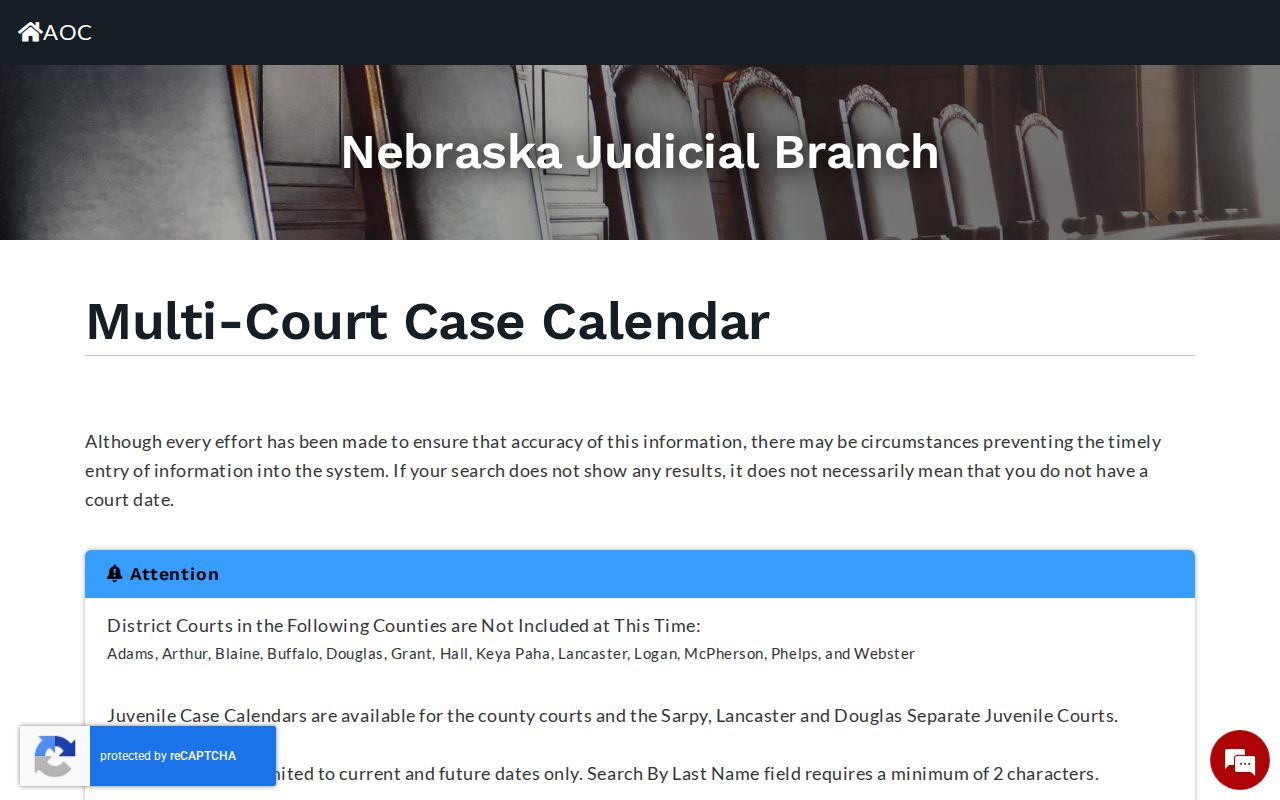
Nebraska's Multi-Court Case Calendar is the official public route to any scheduled Hayes County event. You pick Hayes County Court or Hayes District Court, then choose Hayes from the list. That choice matters more than it looks. County Court handles the everyday load: traffic, misdemeanors, small claims, probate, and similar county-court matters. District Court takes the heavier cases. That includes felony trials, domestic relations, major civil claims, and appeals from county court.
What comes back is an event listing, nothing more. It can identify a hearing set in a Hayes court. But it will never show the case's complete register of actions. Anyone tracking a matter should write down the case number, caption, date, time, location, and event description. Then compare those details against the citation, notice, or order on hand. The official Hayes calendar form holds the court-type, county, search-type, and search-value controls this process depends on.
Hayes Court Calendar Controls
The Hayes calendar gives you two ways to search. Search By Date works when you already know the day. Search By Last Name works for a party-name check. It needs at least two characters typed. Reset clears whatever you picked before; Search submits the values. Those controls exist for a reason. They keep a date search from getting tangled with a name search. They also stop an old county choice from quietly following you into a new Hayes lookup.
The Nebraska calendar screen displays the Hayes form before anything is run. That is why confirming both the court type and the Hayes selection first saves a wasted search.
Hayes County Court Date Lookups
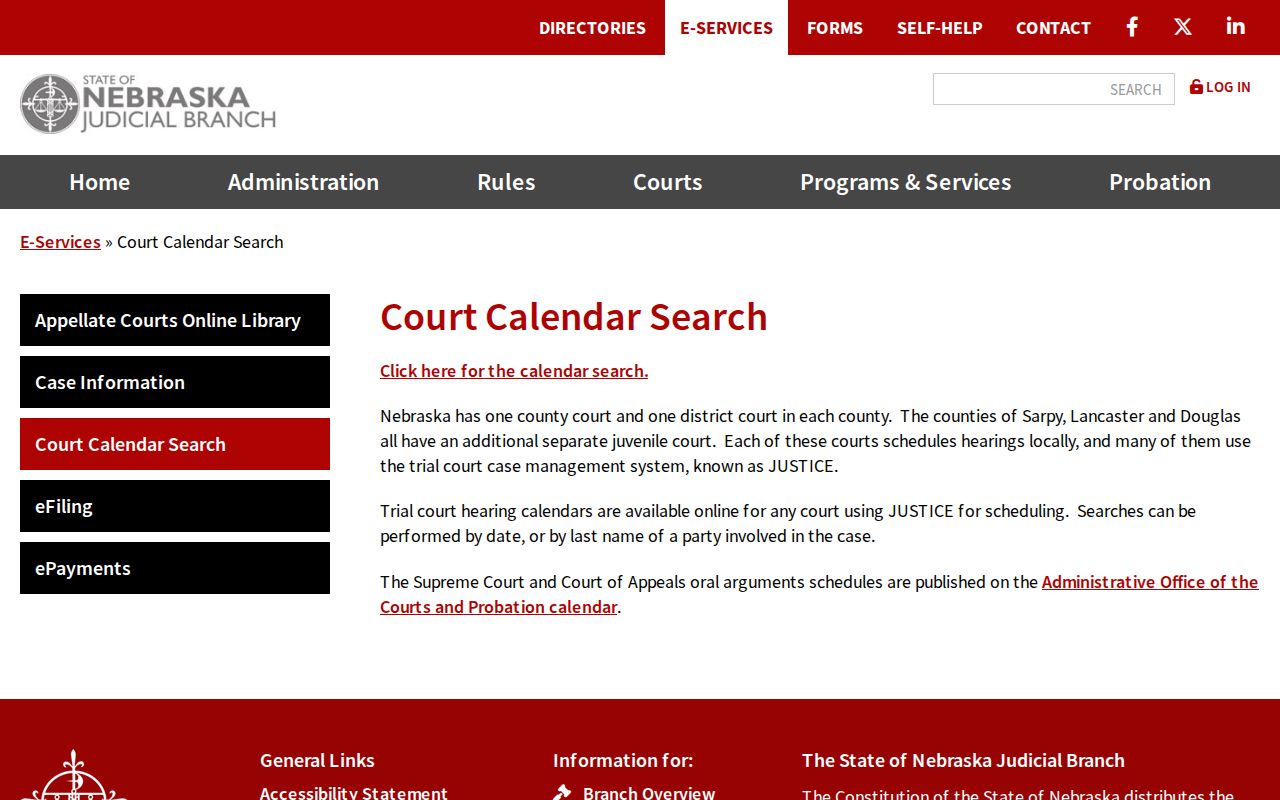
Split the job in two. The Hayes calendar answers the current-event question; JUSTICE answers the case-history question. Use the calendar to locate a scheduled setting by date or last name. Then turn to the Nebraska JUSTICE case-information system. It carries the fuller case detail and register of actions. When an official notice conflicts with an online result, the Hayes clerk is the channel that settles it. County Court and District Court keep different clerk contacts. So know which court you are dealing with before you call or visit.
- Open the official Multi-Court Case Calendar and select County Court or District Court.
- Select Hayes, then choose Search By Date for a known date or Search By Last Name and enter at least two last-name characters.
- Record the displayed case number, caption, date, time, location, and event description if a calendar event appears.
- Check the case's register of actions through the Nebraska JUSTICE case-information system when a fuller history is needed.
- For a conflict or no-result concern, call the County Court Clerk at 308-286-3315 for county-court matters or the District Court Clerk at 308-286-3413 for district matters, or confirm at the appropriate clerk counter.
Hours vary by office. The Hayes County Court official page lists a Wednesday office window. The county posts broader Hayes courthouse hours for its Clerk's Office. Call ahead before traveling. The Hayes calendar runs on a statewide interface. Yet the schedules themselves belong to the courts. If a date has changed or the court selection is unclear, a clerk can point you to the right local route.
Hayes Court Calendar Choices
Pick the wrong Hayes court and you may get an empty result for a matter that very much exists. Hayes County Court is the likelier calendar choice for traffic, misdemeanor, municipal-ordinance, probate, small-claims, and preliminary felony proceedings. Hayes District Court is the right pick for a district filing, felony trial, domestic-relations matter, major civil action, or county-court appeal. One wrinkle: a Hayes preliminary felony matter can leave entries in both courts at different stages. Empty does not mean absent.
- Calendar event
- A scheduled Hayes court event returned for the court, county, and search value selected.
- Register of actions
- The chronological Hayes case history of filings, hearings, orders, and other docket entries.
- Caption
- The case title recorded by the court, often based on the parties or an agency designation.
A date printed on a Hayes citation may point to County Court, while a later related matter lands in District Court. Let the court named on the citation, notice, or case record drive your calendar selection. Guessing from the subject of the case is how people search the wrong docket.
Court Settings: What Each Field Means
Treat a Hayes County setting as a snapshot of one scheduled event. Rule 1-805 sets out the calendar categories. Those can include case number, caption, date, time, and location. Keep the exact event wording with the case number. Similar Hayes names show up in more than one matter. And remember what a listing is not. A Hayes hearing entry proves no finding, no payment, no service, and no final outcome.
| Court and county | The selected Hayes County Court or Hayes District Court calendar context. |
|---|---|
| Date | The scheduled calendar date, not proof that the event occurred. |
| Time | The time shown for the event; compare it with the controlling notice or order. |
| Location | The courtroom or location field shown in the public calendar data, where displayed. |
| Case and caption | The official identifier and case title used to connect the event to the right register of actions. |
| Event description | The listed setting information, which should not be treated as a final case outcome. |
Hayes Court Calendar Result Limits
What does a Hayes calendar search actually prove? Only that an event sits in the returned data. It does not show service, an appearance, or payment. It does not show a finding of guilt or a final judgment. A last-name result can surface a current event while leaving the rest of the story untold. For history questions like those, pull the case number. Then open the JUSTICE case detail and its register of actions where available.
The Judicial Branch calendar explanation is worth reading on this point. A no-result output, it warns, does not prove there is no court date. That matters after a spelling variation or a changed event. It also matters after an excluded category or the wrong County Court versus District Court choice.
So when a Hayes docket search comes back empty, repeat it. Use the court named on the notice, the correct Hayes list, and the intended search method. A date search needs the known date. A last-name search needs at least two characters, and spelling still matters. Compare the notice or citation against the case number. If the conflict remains, call the clerk. One more tip: the form's Reset control clears a prior date, court type, or county selection. Left alone, those choices could bleed into the next search.
The calendar form itself notes that some district courts are excluded from its database. Hayes was not among the excluded courts. An event can still be locally maintained, recently changed, or outside the returned statewide data. Treat the calendar as a timely search tool, not a promise of a complete local schedule.
When a Court Date Moves
A continuance simply reschedules or postpones a setting. A changed setting can be continued, removed, or replaced. Any calendar line you viewed earlier is time-sensitive. The register of actions or a controlling order may explain the change. Even so, an event sitting on the calendar still says nothing about the legal effect of a filing or hearing.
Start with the most recent citation, notice, or order and compare it against the calendar. Do the sources conflict? Contact the Hayes clerk directly. Do not treat the online calendar as confirmation. Keep the case number handy, too. It gives the clerk the most precise reference. It also spares you the guesswork of a similar last-name search.
Note: A changed or missing calendar event may reflect local scheduling practices or an update delay. It may also reflect a court-selection error or an event outside the statewide calendar data.
Hayes Register Follow-Up
Once you locate a Hayes event, a question follows. Does the case hold another scheduled entry or an order explaining the setting? JUSTICE calls its register of actions the chronological history of filings, hearings, orders, and other case events. A calendar line cannot replace that chronology. The case number on the calendar entry is what makes the handoff from date lookup to case lookup precise.
JUSTICE is also separate from SCCALES, the Nebraska appellate case-information system. A county-court appeal or a state appellate question may call for the appellate system rather than another trial-court calendar search. Federal cases sit apart as well. None of them appear in Nebraska's state JUSTICE system.
Missed Settings and What Comes Next
Missed a Hayes County setting? Take it up with the court that scheduled it. Check the notice, citation, order, or case register for the court and case number, then contact the appropriate clerk promptly and ask how the court wants the matter handled. An online calendar result alone will not tell you the consequence of a missed event. Nor will it hand you a new hearing date.
Confirm the court first. A calendar entry does not determine what follows a missed setting, and the correct response can depend on the case, court, and controlling order.
Use the County Court Clerk for county-court matters and the District Court Clerk for district-court matters, with the case number and the most recent notice ready.
Hayes Court Schedule Context
Hayes sits within Judicial District 11, where court assignments cover multiple western Nebraska counties. That arrangement has a practical effect. A public calendar should be checked close to the event. Don't treat it as a fixed local weekly schedule. The annual caseload figures below are not calendar counts and cannot predict anyone's court date. They simply give scale to the two Hayes trial-court paths.
For that aggregate context, the Judicial Branch annual-report publication is the source. For an actual Hayes court schedule, rely on the current calendar, the case notice, and the clerk.